Call the expert: Nested forms - A real implementation
 Fabien Potencier
As announced in a previous post, symfony 1.2 is able to automatically save objects from deep nested forms. I gave a simple example in the announcement post, but some people asked me for a real project example. So here it is.
The project
Let's take a classified website. The website is composed of ads. Each ad is described with some generic information (like a title, a description, ...) and some more specific ones based on the ad type (like the number of beds or the year of construction for a house, or the make, the model, or the color for a car).
So, the model schema is composed of a main demo_ad table and some type tables
(demo_ad_type_house and demo_ad_type_car) to host the detailed information for the ad:
# config/schema.yml
propel:
  demo_ad:
    id:              ~
    title:           { type: varchar(255), required: true }
    description:     { type: longvarchar, required: true }
    price:           float
    type:            { type: varchar(255), required: true }

  demo_ad_type_house:
    id:              ~
    demo_ad_id:      { type: integer, foreignTable: demo_ad, foreignReference: id, required: true }
    square_footage:  { type: integer, required: true }
    nb_beds:         { type: integer, required: true }
    nb_baths:        { type: integer, required: true }
    year:            { type: varchar(255), required: true }

  demo_ad_type_car:
    id:              ~
    demo_ad_id:      { type: integer, foreignTable: demo_ad, foreignReference: id, required: true }
    make:            { type: varchar(255), required: true }
    model:           { type: varchar(255), required: true }
    year:            { type: varchar(255), required: true }
    color:           { type: varchar(255), required: true }
To make it more real, let's add some initial data:
[yml]
# data/fixtures/ads.yml
DemoAd:
  house_1:
    title: Farm
    description: |
      250 acres with irrigation, several shares of water rights, creek, spring and a well.
    price: 2225000
    type: house
  car_1:
    title: Honda Accor
    description: |
      Honda accord fully loaded, power windows, sun roof, new timing belt, new brakes, a/c , cd player.
    price: 6900
    type: car

DemoAdTypeHouse:
  house_1_desc:
    demo_ad_id: house_1
    square_footage: 4500
    nb_beds:  4
    nb_baths: 3
    year:     1910

DemoAdTypeCar:
  car_1_desc:
    demo_ad_id: car_1
    make:  honda
    model: accor
    year:  2002
    color: green
Project Initialization
If you want to follow along, create a new symfony project the usual way:
$ mkdir classifieds
$ cd classifieds
$ symfony generate:project classifieds
Then create the two files we have described above (config/schema.yml and data/fixtures/ads.yml),
configure the database, build the model, and feed the database with the initial data:
$ ./symfony configure:database "mysql:host=localhost;dbname=classifieds" root mYsEcret
$ mysqladmin -uroot -pmYsEcret create classifieds
$ ./symfony propel:build-all-load
In this post, we will create the backend of the application to demonstrate all the power of the new admin generator bundled with symfony 1.2.
$ ./symfony generate:app --escaping-strategy=on --csrf-secret=Unique$ecret1 backend
Then create the backend module to list, create, edit, and delete the ads:
$ ./symfony propel:generate-admin backend DemoAd
NOTE The
propel:generate-adminautomatically adds a route to therouting.ymlconfiguration file.
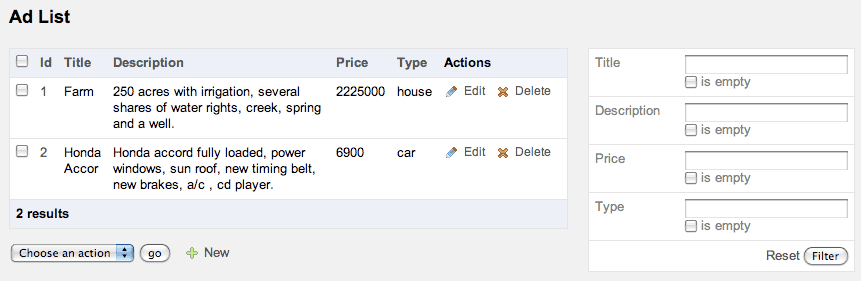
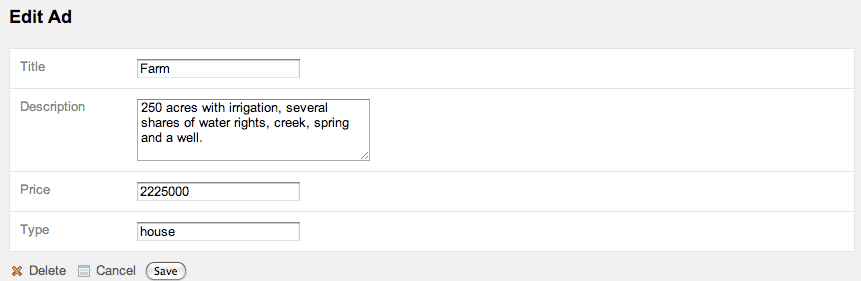
The ad module is now ready to be used as shown on these screenshots:
Project Customization
As you can see for yourself on the screenshots, it is not quite finished yet.
The type column, which is stored as a string in the database, need to be changed
from an input text box to a select box in the form.
Instead of hardcoding the possible types in the form, declare them as a simple property
of the DemoAdPeer class, so it can be reused later on in the project:
[php]
// lib/model/DemoAdPeer.php
class DemoAdPeer extends BaseDemoAdPeer
{
  static public $types = array('house' => 'house', 'car' => 'car');
}
It is now easy to change the type widget of DemoAdForm from a text input to a choice:
[php]
// lib/form/DemoAdForm.class.php
class DemoAdForm extends BaseDemoAdForm
{
  public function configure()
  {
    $this->widgetSchema['type'] = new sfWidgetFormChoice(array('choices' => DemoAdPeer::$types));
    $this->validatorSchema['type'] = new sfValidatorChoice(array('choices' => array_keys(DemoAdPeer::$types)));
  }
}
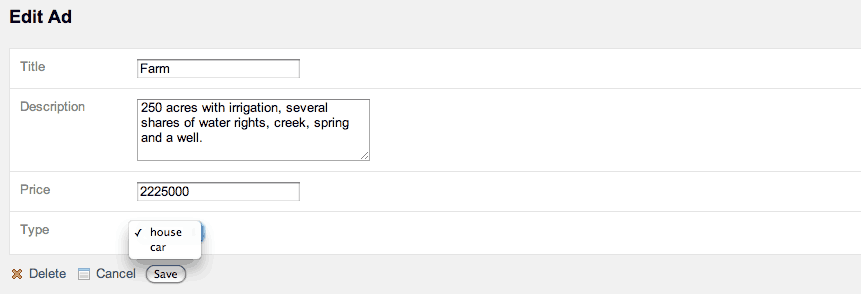
When editing an ad, we want to edit the main information but also the detailed ones. So, we need to embed the specific description form in the main form.
As there is no database relation between the ad and the type, we need to create a custom
method in the DemoAd model to get the DemoAdType* object:
[php]
// lib/model/DemoAd.php
class DemoAd extends BaseDemoAd
{
  public function getTypeObject()
  {
    // if no type has been defined yet, there is no type object
    if (!$this->getType())
    {
      return null;
    }

    // the type class depends on the ad type
    $class = sprintf('DemoAdType%s', ucfirst($this->getType()));
    $peer = constant($class.'::PEER');

    // get the type object related to the current ad
    $criteria = new Criteria();
    $criteria->add(constant($peer.'::DEMO_AD_ID'), $this->getId());

    // if there is none, create a new one associated with this ad
    if (is_null($type = call_user_func(array($peer, 'doSelectOne'), $criteria)))
    {
      $type = new $class();
      $type->setDemoAd($this);
    }

    return $type;
  }
}
Now for the fun part. Embed the type form into the main ad form if there is one:
[php]
// lib/form/DemoAdForm.class.php
class DemoAdForm extends BaseDemoAdForm
{
  public function configure()
  {
    $this->widgetSchema['type'] = new sfWidgetFormChoice(array('choices' => DemoAdPeer::$types));
    $this->validatorSchema['type'] = new sfValidatorChoice(array('choices' => array_keys(DemoAdPeer::$types)));

    // only embed if there is a type object (edit vs create)
    if ($this->getObject()->getType())
    {
      $this->embedForm('desc', $this->getTypeForm());
    }
  }

  public function getTypeForm()
  {
    $class = sprintf('DemoAdType%sForm', ucfirst($this->object->getType()));

    return new $class($this->object->getTypeObject());
  }
}
If you refresh your browser now, you will have an exception because the embedded form has a
select box to choose the ad to which it is linked to. To render this select box, symfony
needs a text representation of an Ad:
[php]
class DemoAd extends BaseDemoAd
{
  public function __toString()
  {
    return $this->getTitle();
  }

  // ...
}
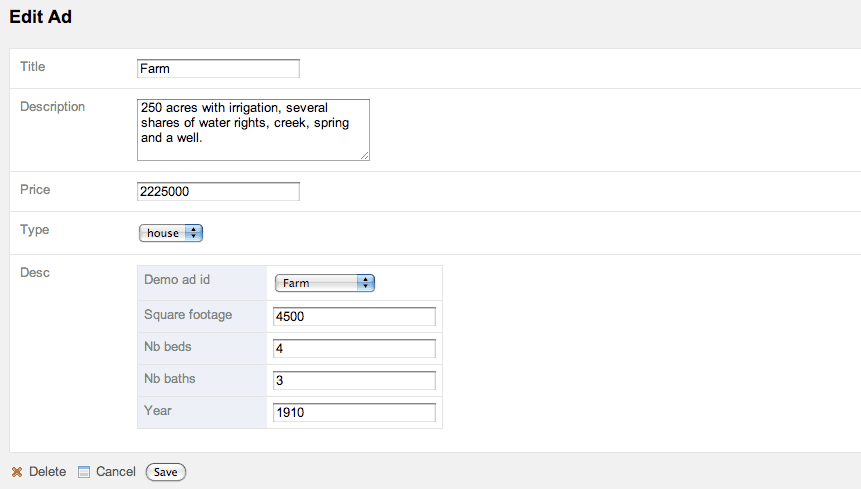
As we don't want people to be able to change the link between the ad and the type, we need to disable the corresponding widget in the type form classes:
[php]
// lib/form/DemoAdTypeCarForm.class.php
class DemoAdTypeCarForm extends BaseDemoAdTypeCarForm
{
  public function configure()
  {
    unset($this['demo_ad_id']);
  }
}

// lib/form/DemoAdTypeHouseForm.class.php
class DemoAdTypeHouseForm extends BaseDemoAdTypeHouseForm
{
  public function configure()
  {
    unset($this['demo_ad_id']);
  }
}
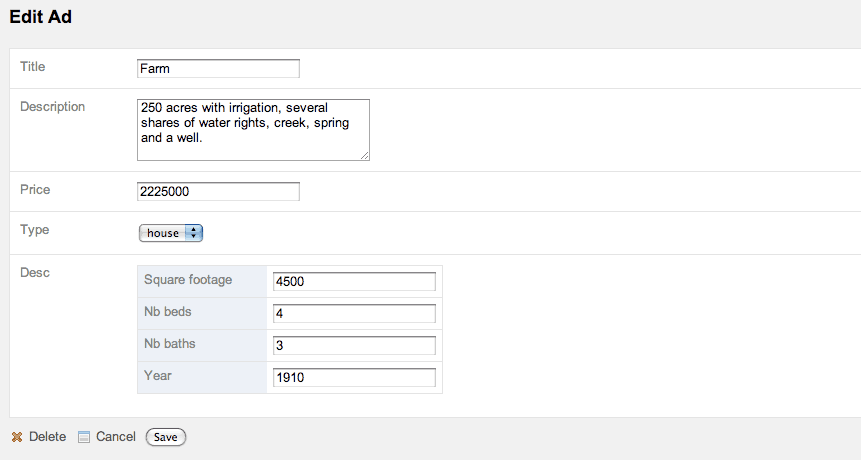
That's all there is to it. You can now change the main ad columns or the specific ones and when saving the form, symfony will save everything back to the database. And this has been possible with the admin generator without customizing anything. It just works!
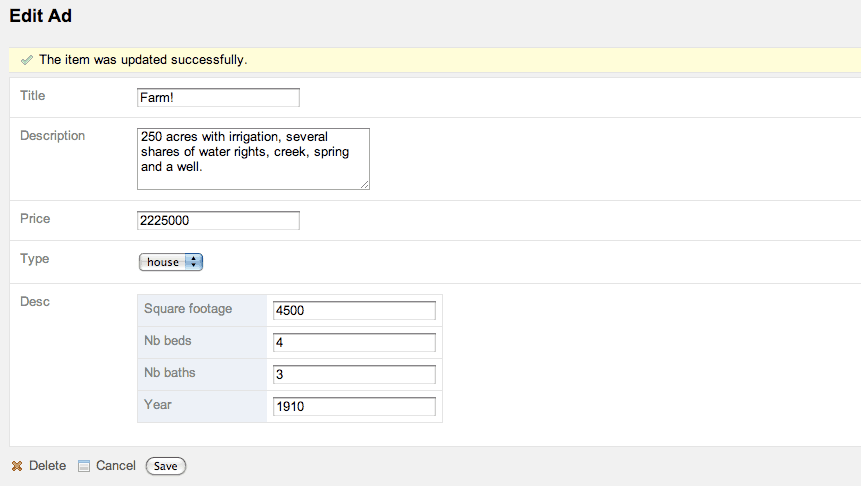
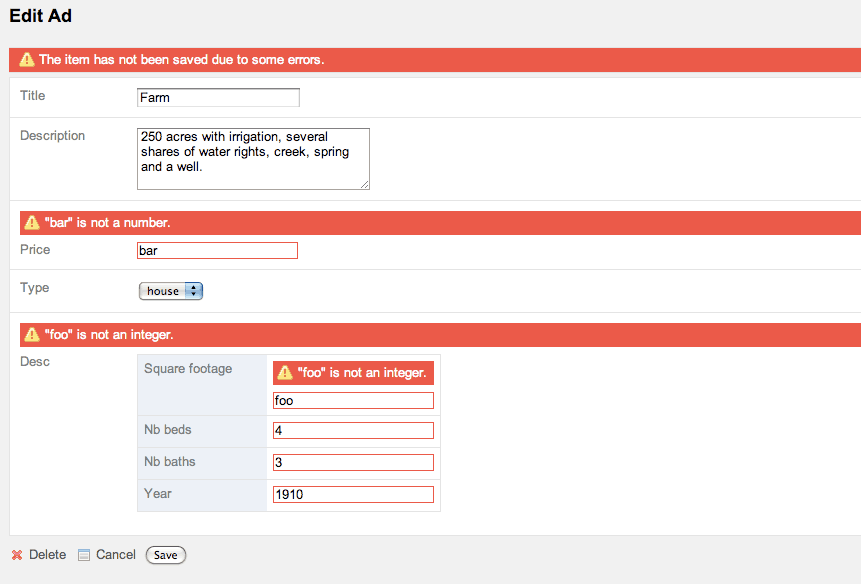
Of course, you will find some edge cases that need to be worked on, but hopefully you are now able to customize it further.
Help the Symfony project!
As with any Open-Source project, contributing code or documentation is the most common way to help, but we also have a wide range of sponsoring opportunities.
Comments
Comments are closed.
To ensure that comments stay relevant, they are closed for old posts.
First I was a little confused with the new form system, but now I begin to find it really tasty.
Do you already have a date for the next beta/release condidate ?
Ho, and I think I've found a small typo :
$peer = constant($class.'::PEER');
It maybe sould be $peer = constant($class.'Peer');
Shouldn't
if (is_null($desc = call_user_func(array($peer, 'doSelectOne'), $criteria)))
actually be
if (is_null($type = call_user_func(array($peer, 'doSelectOne'), $criteria)))
if (is_null($desc = call_user_func(array($peer, 'doSelectOne'), $criteria)))
should be:
if (is_null($type = call_user_func(array($peer, 'doSelectOne'), $criteria)))
Now, i have some election to make
Propel or Doctrine, right? It's not possible work with both...
Your sample always use Propel... But Doctrine is now the first recommend, right?
In the future, symfony work better with Doctrine ?
For now, i cann't make this choose...
I donn't what usr for generate my schema yet
Example being a person has many addresses.
Top form of User, second form of Address. How can I embed 4 Address form in the top User form? I've had a lot of problems doing this so far. I can get it to display but the validation doesn't seem to work.
Thanks.
Not like:
but like:
...
When I create new form the embeded fields are saved, but when I try to change the make, model.. fields are not saved.
With it wotks ok?
Congrats.
It would be particularly useful to know how handle adding or removing sub-elements with javascript on the form.
Cheers !
I'm also looking forward to see another example of dynamically adding/removing sub-elements.
Is subscribing to this blog posts feed enough to get notice about it?
and please, give some feedback.