EasyAdmin Integer Field
This field is used to represent the value of properties that store integer numbers.
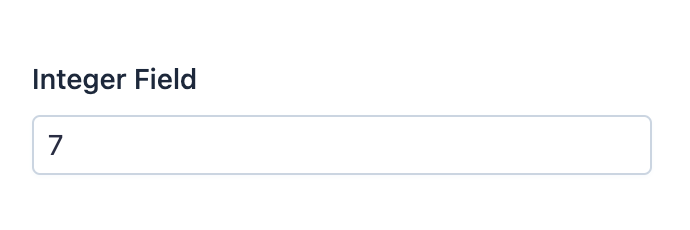
In form pages (edit and new) it looks like this:
Basic Information
- PHP Class:
EasyCorp\Bundle \EasyAdminBundle \Field \IntegerField - Doctrine DBAL Type used to store this value:
integerorsmallint - Symfony Form Type used to render the field: IntegerType
Rendered as:
1
<input type="number">
Options
setNumberFormat
By default, the integer value is displayed "as is". If you prefer to format the
value in any way, use this option and pass any formatting string valid as an
argument of the sprintf() function:
1
2
3
4
5
6
// this would display integers in scientific notation (e.g. 1234567890 = '1.234568e+9')
yield IntegerField::new('...')->setNumberFormat('%e');

// formatting also helps you to add left/right padding to numbers
// the following example would format 123 as '+00123'
yield IntegerField::new('...')->setNumberFormat('%+06d');
setThousandsSeparator
By default, the integer value does not separate thousands groups (e.g. 12345
is displayed like that, instead of 12,345). Use this option to set the
character used to separate thousands groups:
1
2
// this would display '12345' as '12 345'
yield IntegerField::new('...')->setThousandsSeparator(' ');
This work, including the code samples, is licensed under a
Creative Commons BY-SA 3.0 license.