EasyAdmin Number Field
This field is used to represent the value of properties that store numbers of any type (integers or decimals). To store only integers, use IntegerField.
In form pages (edit and new) it looks like this:
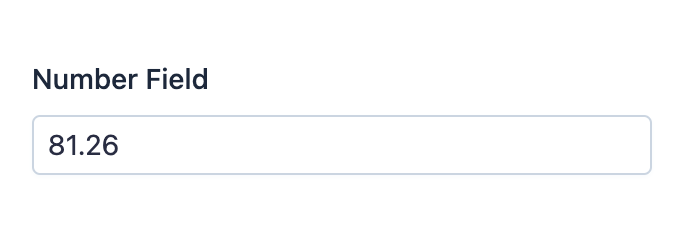
Basic Information
- PHP Class:
EasyCorp\Bundle \EasyAdminBundle \Field \NumberField - Doctrine DBAL Type used to store this value:
decimal,floatorstring - Symfony Form Type used to render the field: NumberType
Rendered as:
1
2
<!-- the type of element used is configurable -->
<input type="number"> or <input type="text">
Options
setDecimalSeparator
The numeric values use the decimal separator of the current locale (e.g. 1/10
is shown as 0.1). Use this option to set a different character to separate
the decimal part of the number:
1
2
// this would display '12345.67' as '12345,67'
yield NumberField::new('...')->setDecimalSeparator(',');
This option overrides, for this field only, the value of the setDecimalSeparator() CRUD option.
setNumberFormat
By default, numbers are displayed "as is". If you prefer to format the value in
any way, use this option and pass any formatting string valid as an argument of
the sprintf() function:
1
2
// this would display numbers in scientific notation (e.g. 123456.7890 = '1.234568e+5')
yield NumberField::new('...')->setNumberFormat('%e');
This option overrides, for this field only, the value of the setNumberFormat() CRUD option.
Caution
Using this option makes EasyAdmin ignore the setNumDecimals() and
setRoundingMode() options.
setNumDecimals
By default, numbers are displayed "as is" without adding or removing decimals. Use this option if you want to format values with a certain number of decimals:
1
2
// this would format 3 as 3.00 and 5.123 as 5.12
yield NumberField::new('...')->setNumDecimals(2);
setRoundingMode
By default, when some value must be rounded to reduce the number of decimals,
the field uses PHP \NumberFormatter::ROUND_HALFUP strategy. Use this option
to change the rounding strategy. The argument must be one of these constants of
the PHP NumberFormatter class: ROUND_DOWN, ROUND_FLOOR, ROUND_UP,
ROUND_CEILING, ROUND_HALFDOWN, ROUND_HALFEVEN and ROUND_HALFUP:
1
yield NumberField::new('...')->setRoundingMode(\NumberFormatter::ROUND_CEILING);setStoredAsString
By default, this field assumes that you store the value as a numeric property.
If you store the value as a string (e.g. because it's a very large number) use
this option to also display a <input type="text"> element instead of the
default <input type="number"> element:
1
yield NumberField::new('...')->setStoredAsString();setThousandsSeparator
By default, the numeric value does not separate thousands groups (e.g.
12345.67 is displayed like that, instead of 12,345.67). Use this option
to set the character used to separate thousands groups:
1
2
// this would display '12345.67' as '12 345.67'
yield NumberField::new('...')->setThousandsSeparator(' ');
This option overrides, for this field only, the value of the setThousandsSeparator() CRUD option.