Test
Quando iniziamo ad aggiungere sempre più funzionalità all'applicazione, è probabilmente il momento giusto per parlare di test.
Curiosità: ho trovato un bug mentre scrivevo i test in questo capitolo.
Symfony si basa su PHPUnit per i test unitari. Installiamolo:
1
$ symfony composer req phpunit --devScrittura di test unitari
SpamChecker è la prima classe per cui scriveremo i test. Creiamo un test unitario:
1
$ symfony console make:test TestCase SpamCheckerTestTestare lo SpamChecker è una sfida perché di sicuro non vogliamo chiamare l'API di OpenAI: sarebbe lento, costoso, e le risposte non sarebbero nemmeno deterministiche. Sostituiremo la piattaforma con una finta.
Scriviamo un primo test per lo scenario in cui l'API restituisce un errore:
1
2
3
4
5
6
7
8
9
10
11
12
13
14
15
16
17
18
19
20
21
22
23
24
25
26
27
28
29
30
--- i/tests/SpamCheckerTest.php
+++ w/tests/SpamCheckerTest.php
@@ -2,12 +2,25 @@

 namespace App\Tests;

+use App\Entity\Comment;
+use App\SpamChecker;
 use PHPUnit\Framework\TestCase;
+use Symfony\AI\Agent\Agent;
+use Symfony\AI\Platform\Exception\RuntimeException;
+use Symfony\AI\Platform\Test\InMemoryPlatform;

 class SpamCheckerTest extends TestCase
 {
-    public function testSomething(): void
+    public function testSpamScoreWhenTheModelIsDown(): void
     {
-        $this->assertTrue(true);
+        $comment = new Comment();
+        $comment->setAuthor('Fabien');
+        $comment->setEmail('fabien@example.com');
+        $comment->setText('Such a nice conference!');
+
+        $platform = new InMemoryPlatform(fn () => throw new RuntimeException('The model is down.'));
+        $checker = new SpamChecker(new Agent($platform, 'gpt-5-mini'));
+
+        $this->assertSame(1, $checker->getSpamScore($comment, []));
     }
 }
La classe InMemoryPlatform implementa l'interfaccia della piattaforma senza chiamare alcuna API esterna. Dato un callable, può simulare qualsiasi comportamento, inclusi i fallimenti. La avvolgiamo in un vero Agent, in modo che la logica dello SpamChecker sia testata davvero.
Quando il modello non è disponibile, i commenti devono arrivare a un moderatore umano: il punteggio atteso è 1.
Eseguiamo i test per verificare che passino:
1
$ symfony php bin/phpunitAggiungiamo i test per lo scenario positivo:
1
2
3
4
5
6
7
8
9
10
11
12
13
14
15
16
17
18
19
20
21
22
23
24
25
26
27
28
29
30
31
32
33
34
35
36
--- i/tests/SpamCheckerTest.php
+++ w/tests/SpamCheckerTest.php
@@ -4,6 +4,7 @@ namespace App\Tests;

 use App\Entity\Comment;
 use App\SpamChecker;
+use PHPUnit\Framework\Attributes\DataProvider;
 use PHPUnit\Framework\TestCase;
 use Symfony\AI\Agent\Agent;
 use Symfony\AI\Platform\Exception\RuntimeException;
@@ -23,4 +24,25 @@ class SpamCheckerTest extends TestCase

         $this->assertSame(1, $checker->getSpamScore($comment, []));
     }
+
+    #[DataProvider('provideComments')]
+    public function testSpamScore(int $expectedScore, string $answer): void
+    {
+        $comment = new Comment();
+        $comment->setAuthor('Fabien');
+        $comment->setEmail('fabien@example.com');
+        $comment->setText('Such a nice conference!');
+
+        $platform = new InMemoryPlatform($answer);
+        $checker = new SpamChecker(new Agent($platform, 'gpt-5-mini'));
+
+        $this->assertSame($expectedScore, $checker->getSpamScore($comment, []));
+    }
+
+    public static function provideComments(): iterable
+    {
+        yield 'blatant_spam' => [2, 'blatant spam'];
+        yield 'maybe_spam' => [1, 'Maybe spam.'];
+        yield 'ham' => [0, 'ham'];
+    }
 }
I data provider di PHPUnit ci permettono di riutilizzare la stessa logica di test per diversi casi.
Scrivere test funzionali per i controller
Testare i controller è un po' diverso dal testare una classe PHP "normale", poiché vogliamo eseguirli nel contesto di una richiesta HTTP.
Creiamo un test funzionale per il controller delle conferenze:
1
2
3
4
5
6
7
8
9
10
11
12
13
14
15
namespace App\Tests\Controller;

use Symfony\Bundle\FrameworkBundle\Test\WebTestCase;

class ConferenceControllerTest extends WebTestCase
{
    public function testIndex(): void
    {
        $client = static::createClient();
        $client->request('GET', '/');

        $this->assertResponseIsSuccessful();
        $this->assertSelectorTextContains('h2', 'Give your feedback');
    }
}
L'utilizzo di Symfony al posto di PHPUnit\Framework\TestCase, come classe base per i nostri test, ci fornisce una valida astrazione per i test funzionali.
La variabile $client simula un browser. Tuttavia, invece di fare chiamate HTTP al server, chiama direttamente l'applicazione Symfony. Questa strategia ha diversi vantaggi: è molto più veloce che avere chiamate in uscita e ritorno tra il client e il server, ma permette anche ai test di effettuare una introspezione sullo stato dei servizi dopo ogni richiesta HTTP.
Questo primo test controlla che la homepage restituisca una risposta HTTP con codice 200.
Per semplificare il lavoro, metodi di asserzione come assertResposeIsSuccessful sono stati aggiunti a PHPUnit. Symfony definisce molte altre asserzioni.
Tip
Abbiamo usato / per l'URL invece di generarlo tramite il router. È stato fatto volutamente perché la verifica degli URL finali fa parte di ciò che vogliamo testare. Se si cambia il percorso, i test si romperanno a ricordare che probabilmente bisognerebbe reindirizzare il vecchio URL al nuovo URL, per essere gentili con i motori di ricerca e i siti web che rimandano al vostro.
Configurare l'ambiente di test
Per impostazione predefinita, i test di PHPUnit vengono eseguiti nell'ambiente di Symfont test, come definito nel file di configurazione di PHPUnit:
1
2
3
4
5
6
7
8
<phpunit>
    <php>
        <ini name="error_reporting" value="-1" />
        <server name="APP_ENV" value="test" force="true" />
        <server name="SHELL_VERBOSITY" value="-1" />
        <server name="SYMFONY_PHPUNIT_REMOVE" value="" />
        <server name="SYMFONY_PHPUNIT_VERSION" value="8.5" />
        ...
Per poter eseguire i test, dobbiamo impostare il secret OPENAI_API_KEY per l'ambiente di test:
1
$ symfony console secrets:set OPENAI_API_KEY --env=testLavorare con un database di test
Come abbiamo già visto, Symfony CLI espone automaticamente la varabile d'ambiente DATABASE_URL. Quando la variabile d'ambiente APP_ENV è impostata a test, che ha questo valore quando eseguiamo PHPUnit, il nome del database è cambiato da app a app_test, in modo che i test abbiano il proprio database:
1
2
3
4
5
when@test:
    doctrine:
        dbal:
            # "TEST_TOKEN" is typically set by ParaTest
            dbname_suffix: '_test%env(default::TEST_TOKEN)%'
Questo è molto importante poiché ci serviranno dei dati stabili per eseguire i test, e certamente non vogliamo sovrascrivere quelli del database di sviluppo.
Prima di poter eseguire il test, dobbiamo inizializzare il database (creiamo il database ed eseguiamo le migrazioni):
1
2
$ symfony console doctrine:database:create --env=test
$ symfony console doctrine:migrations:migrate -n --env=test
Note
On Linux and similiar OSes, you can use APP_ENV=test instead of
--env=test:
1
$ APP_ENV=test symfony console doctrine:database:createSe ora eseguiamo i test, PHPUnit non utilizzerà più il database di sviluppo. Per eseguire solo i nuovi test, si può passare il percorso delle relative classi:
1
$ symfony php bin/phpunit tests/Controller/ConferenceControllerTest.phpTip
Quando un test fallisce, potrebbe essere utile analizzare l'oggetto Response: possiamo ottenerlo tramite $client->getResponse() e usare echo per vedere come è fatto.
Definizione delle factory
Per poter testare la lista dei commenti, la paginazione e l'invio del form, abbiamo bisogno di popolare il database con alcuni dati. E per mantenere i test indipendenti tra loro, ogni test dovrebbe creare esattamente l'insieme di dati di cui ha bisogno. Le object factory sono lo strumento perfetto per questo lavoro.
Installare Zenstruck Foundry:
1
$ symfony composer req foundry --devGenerare una factory per ogni entità di cui i test hanno bisogno:
1
$ symfony console make:factory Conference1
$ symfony console make:factory CommentUna factory descrive come costruire un'entità valida: per ogni proprietà viene generato un valore predefinito, grazie alla libreria Faker. Creare un oggetto tramite una factory lo persiste anche. Regolare i valori predefiniti delle conferenze per renderli più realistici:
1
2
3
4
5
6
7
8
9
10
11
12
13
14
15
--- i/src/Factory/ConferenceFactory.php
+++ w/src/Factory/ConferenceFactory.php
@@ -34,9 +34,9 @@ final class ConferenceFactory extends PersistentObjectFactory
 protected function defaults(): array|callable
 {
     return [
-        'city' => self::faker()->text(255),
+        'city' => self::faker()->city(),
         'isInternational' => self::faker()->boolean(),
-        'slug' => self::faker()->text(255),
-        'year' => self::faker()->text(4),
+        'slug' => '-',
+        'year' => self::faker()->year(),
     ];
 }
Impostare lo slug a - lascia che l'entity listener scritto quando abbiamo aggiunto gli slug calcoli il valore reale: una conferenza creata con la città Amsterdam e l'anno 2019 ottiene automaticamente lo slug amsterdam-2019.
Fare lo stesso per i commenti:
1
2
3
4
5
6
7
8
9
10
11
12
13
14
15
--- i/src/Factory/CommentFactory.php
+++ w/src/Factory/CommentFactory.php
@@ -34,10 +34,10 @@ final class CommentFactory extends PersistentObjectFactory
 protected function defaults(): array|callable
 {
     return [
-        'author' => self::faker()->text(255),
+        'author' => self::faker()->name(),
         'conference' => ConferenceFactory::new(),
         'createdAt' => \DateTimeImmutable::createFromMutable(self::faker()->dateTime()),
-        'email' => self::faker()->text(255),
+        'email' => self::faker()->email(),
         'text' => self::faker()->text(),
     ];
 }
Si noti il valore predefinito di conference: quando un commento viene creato senza una conferenza esplicita, Foundry ne crea una al volo.
Eseguire il crawling di un sito web nei test funzionali
Come abbiamo visto, il client HTTP utilizzato nei test simula un browser, così possiamo navigare attraverso il sito web come se stessimo usando un browser headless.
Aggiungere un nuovo test che clicca su una pagina della conferenza dalla homepage:
1
2
3
4
5
6
7
8
9
10
11
12
13
14
15
16
17
18
19
20
21
22
23
24
25
26
27
28
29
30
31
32
33
34
35
36
37
38
39
40
41
42
43
44
45
--- i/tests/Controller/ConferenceControllerTest.php
+++ w/tests/Controller/ConferenceControllerTest.php
@@ -2,10 +2,17 @@

 namespace App\Tests\Controller;

+use App\Factory\CommentFactory;
+use App\Factory\ConferenceFactory;
 use Symfony\Bundle\FrameworkBundle\Test\WebTestCase;
+use Zenstruck\Foundry\Test\Factories;
+use Zenstruck\Foundry\Test\ResetDatabase;

 class ConferenceControllerTest extends WebTestCase
 {
+    use Factories;
+    use ResetDatabase;
+
     public function testIndex(): void
     {
         $client = static::createClient();
@@ -14,4 +21,24 @@ class ConferenceControllerTest extends WebTestCase
         $this->assertResponseIsSuccessful();
         $this->assertSelectorTextContains('h2', 'Give your feedback');
     }
+
+    public function testConferencePage(): void
+    {
+        $client = static::createClient();
+
+        $amsterdam = ConferenceFactory::createOne(['city' => 'Amsterdam', 'year' => '2019', 'isInternational' => true]);
+        ConferenceFactory::createOne(['city' => 'Paris', 'year' => '2020', 'isInternational' => false]);
+        CommentFactory::createOne(['conference' => $amsterdam]);
+
+        $crawler = $client->request('GET', '/');
+
+        $this->assertCount(2, $crawler->filter('h4'));
+
+        $client->clickLink('View');
+
+        $this->assertPageTitleContains('Amsterdam');
+        $this->assertResponseIsSuccessful();
+        $this->assertSelectorTextContains('h2', 'Amsterdam 2019');
+        $this->assertSelectorExists('div:contains("There are 1 comments")');
+    }
 }
Il trait Factories abilita le factory nei test, e ResetDatabase resetta il database all'inizio di ogni esecuzione dei test.
Descriviamo in un linguaggio naturale cosa succede in questo test:
- Il test crea esattamente l'insieme di dati di cui ha bisogno: due conferenze e un commento, tramite le factory;
- Come il primo test, andiamo alla homepage;
- Il metodo
request()restituisce un'istanza diCrawlerche aiuta a trovare elementi della pagina (come link, form, o qualsiasi cosa si possa raggiungere con i selettori CSS o XPath); - Grazie ad un selettore CSS, affermiamo di avere due conferenze elencate in homepage;
- Clicchiamo poi sul link "View" (non potendo cliccare su più di un link alla volta, Symfony sceglie automaticamente il primo che trova);
- Verifichiamo il titolo della pagina e il tag
<h2>per assicurarci di essere sulla pagina giusta (avremmo anche potuto controllare che ci fosse una corrispondenza con la rotta); - Infine, verifichiamo che ci sia un singolo commento sulla pagina.
div:contains()non è un selettore CSS valido, ma Symfony ha alcune aggiunte interessanti, prese in prestito da jQuery.
Invece di cliccare sul testo (es: View), avremmo potuto selezionare il link anche tramite un selettore CSS:
1
$client->click($crawler->filter('h4 + p a')->link());Verifichiamo che il nuovo test sia verde:
1
$ symfony php bin/phpunit tests/Controller/ConferenceControllerTest.phpInvio di un form in un test funzionale
Volete andare al livello successivo? Provate ad aggiungere un nuovo commento con una foto a una conferenza, da un test, simulando l'invio di un form. Sembra ambizioso, vero? Guardate il codice necessario: non più complesso di quello che abbiamo già scritto:
1
2
3
4
5
6
7
8
9
10
11
12
13
14
15
16
17
18
19
20
21
22
23
24
25
26
--- i/tests/Controller/ConferenceControllerTest.php
+++ w/tests/Controller/ConferenceControllerTest.php
@@ -41,4 +41,23 @@ class ConferenceControllerTest extends WebTestCase
         $this->assertSelectorTextContains('h2', 'Amsterdam 2019');
         $this->assertSelectorExists('div:contains("There are 1 comments")');
     }
+
+    public function testCommentSubmission(): void
+    {
+        $client = static::createClient();
+
+        $berlin = ConferenceFactory::createOne(['city' => 'Berlin', 'year' => '2021', 'isInternational' => false]);
+        CommentFactory::createOne(['conference' => $berlin]);
+
+        $client->request('GET', '/conference/berlin-2021');
+        $client->submitForm('Submit', [
+            'comment[author]' => 'Fabien',
+            'comment[text]' => 'Some feedback from an automated functional test',
+            'comment[email]' => 'me@automat.ed',
+            'comment[photo]' => dirname(__DIR__, 2).'/public/images/under-construction.gif',
+        ]);
+        $this->assertResponseRedirects();
+        $client->followRedirect();
+        $this->assertSelectorExists('div:contains("There are 2 comments")');
+    }
 }
Per inviare un form tramite submitForm(), trovare i nomi di degli input grazie al DevTools del browser, o tramite il pannello dei form del Profiler di Symfony. Si noti il riutilizzo intelligente dell'immagine in costruzione!
Eseguire nuovamente i test per verificare che sia tutto verde:
1
$ symfony php bin/phpunit tests/Controller/ConferenceControllerTest.phpSe si vuole controllare il risultato in un browser, fermare il server web e farlo ripartire in ambiente test:
1
2
$ symfony server:stop
$ APP_ENV=test symfony server:start -d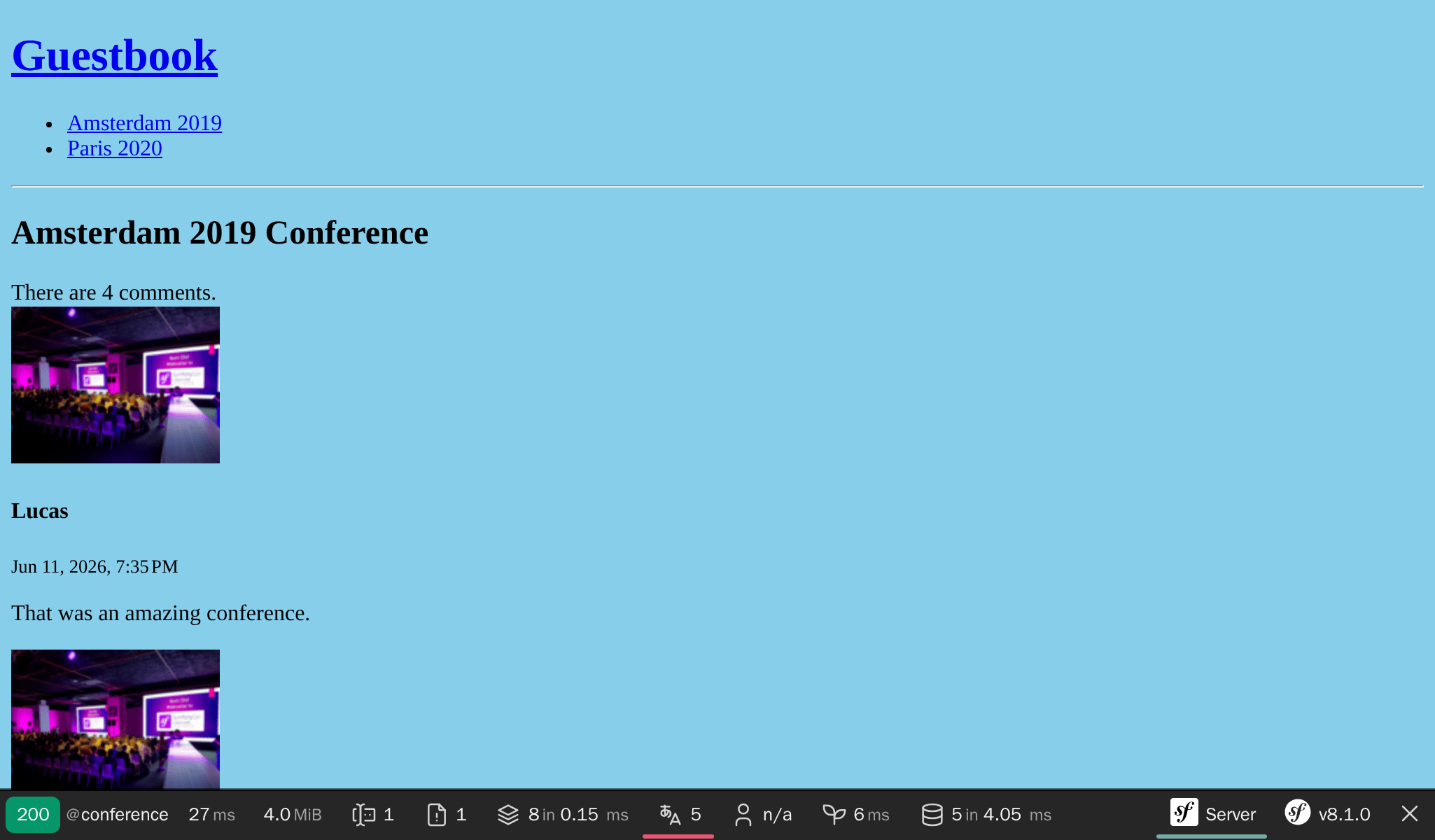
Eseguire di nuovo i test
Eseguendo i test una seconda volta, passano ancora: il trait ResetDatabase resetta il database all'inizio di ogni esecuzione, e ogni test crea esattamente l'insieme di dati di cui ha bisogno. Non c'è stato condiviso né residui di un'esecuzione precedente:
1
$ symfony php bin/phpunit tests/Controller/ConferenceControllerTest.phpAutomatizzare il flusso di lavoro con un Makefile
Ricordare una sequenza di comandi per eseguire i test è fastidioso. Andrebbe almeno riportata nella documentazione. Ma la documentazione dovrebbe essere l'ultima risorsa. Invece, che dire dell'automazione delle attività quotidiane? Potrebbe servire come documentazione, aiuterebbe a capirne il funzionamento ad altri sviluppatori e renderebbe la vita dello sviluppatore più semplice e veloce.
Usare un Makefile è un modo per automatizzare i comandi:
1
2
3
4
5
6
7
8
SHELL := /bin/bash

tests:
	symfony console doctrine:database:drop --force --env=test || true
	symfony console doctrine:database:create --env=test
	symfony console doctrine:migrations:migrate -n --env=test
	symfony php bin/phpunit $(MAKECMDGOALS)
.PHONY: tests
Warning
Nella sintassi dei Makefile, l'indentazione deve essere un carattere di tabulazione invece che essere composta da caratteri "spazio".
Si noti il parametro -n passato al comando Doctrine; è un'opzione globale dei comandi di Symfony che li rende non interattivi.
Ogni volta che si desidera eseguire i test, utilizzare make tests:
1
$ make testsRipristinare il database dopo ogni test
Ripristinare il database dopo ogni test è una cosa positiva, ma avere test veramente indipendenti è ancora meglio. Non è desiderabile che un test si basi sui risultati dei precedenti. La modifica dell'ordine dei test non dovrebbe modificare il risultato. Come capiremo ora, per il momento non è così.
Spostare il test testConferencePage dopo testCommentSubmission:
1
2
3
4
5
6
7
8
9
10
11
12
13
14
15
16
17
18
19
20
21
22
23
24
25
26
27
28
29
30
31
32
33
34
35
36
37
38
39
40
41
42
43
44
45
46
47
48
49
50
51
52
53
54
55
--- i/tests/Controller/ConferenceControllerTest.php
+++ w/tests/Controller/ConferenceControllerTest.php
@@ -22,26 +22,6 @@ class ConferenceControllerTest extends WebTestCase
         $this->assertSelectorTextContains('h2', 'Give your feedback');
     }

-    public function testConferencePage(): void
-    {
-        $client = static::createClient();
-
-        $amsterdam = ConferenceFactory::createOne(['city' => 'Amsterdam', 'year' => '2019', 'isInternational' => true]);
-        ConferenceFactory::createOne(['city' => 'Paris', 'year' => '2020', 'isInternational' => false]);
-        CommentFactory::createOne(['conference' => $amsterdam]);
-
-        $crawler = $client->request('GET', '/');
-
-        $this->assertCount(2, $crawler->filter('h4'));
-
-        $client->clickLink('View');
-
-        $this->assertPageTitleContains('Amsterdam');
-        $this->assertResponseIsSuccessful();
-        $this->assertSelectorTextContains('h2', 'Amsterdam 2019');
-        $this->assertSelectorExists('div:contains("There are 1 comments")');
-    }
-
     public function testCommentSubmission(): void
     {
         $client = static::createClient();
@@ -41,5 +22,25 @@ class ConferenceControllerTest extends WebTestCase
         $this->assertResponseRedirects();
         $client->followRedirect();
         $this->assertSelectorExists('div:contains("There are 2 comments")');
     }
+
+    public function testConferencePage(): void
+    {
+        $client = static::createClient();
+
+        $amsterdam = ConferenceFactory::createOne(['city' => 'Amsterdam', 'year' => '2019', 'isInternational' => true]);
+        ConferenceFactory::createOne(['city' => 'Paris', 'year' => '2020', 'isInternational' => false]);
+        CommentFactory::createOne(['conference' => $amsterdam]);
+
+        $crawler = $client->request('GET', '/');
+
+        $this->assertCount(2, $crawler->filter('h4'));
+
+        $client->clickLink('View');
+
+        $this->assertPageTitleContains('Amsterdam');
+        $this->assertResponseIsSuccessful();
+        $this->assertSelectorTextContains('h2', 'Amsterdam 2019');
+        $this->assertSelectorExists('div:contains("There are 1 comments")');
+    }
 }
I test ora falliscono.
Per ripristinare il database tra un test e l'altro, installare DoctrineTestBundle:
1
$ symfony composer req "dama/doctrine-test-bundle:^8" --devSarà necessario confermare l'esecuzione della ricetta (in quanto non si tratta di un bundle "ufficialmente" supportato):
1
2
3
4
5
6
7
8
9
10
11
Symfony operations: 1 recipe (a5c79a9ff21bc3ae26d9bb25f1262ed7)
  -  WARNING  dama/doctrine-test-bundle (>=4.0): From github.com/symfony/recipes-contrib:master
    The recipe for this package comes from the "contrib" repository, which is open to community contributions.
    Review the recipe at https://github.com/symfony/recipes-contrib/tree/master/dama/doctrine-test-bundle/4.0

    Do you want to execute this recipe?
    [y] Yes
    [n] No
    [a] Yes for all packages, only for the current installation session
    [p] Yes permanently, never ask again for this project
    (defaults to n): p
Ci siamo. Tutte le modifiche fatte coi test sono ora automaticamente annullate alla fine di ogni test.
I test dovrebbero essere di nuovo verdi:
1
$ make testsUtilizzo di un browser reale per i test funzionali
I test funzionali usano un browser speciale che richiama direttamente Symfony. Ma si può anche usare un browser reale e vere chiamate HTTP usando Symfony Panther:
1
$ symfony composer req panther --devÈ quindi possibile scrivere dei test che utilizzino un'istanza reale di Google Chrome con le seguenti modifiche:
1
2
3
4
5
6
7
8
9
10
11
12
13
14
15
16
17
18
19
--- i/tests/Controller/ConferenceControllerTest.php
+++ w/tests/Controller/ConferenceControllerTest.php
@@ -2,13 +2,13 @@

 namespace App\Tests\Controller;

-use Symfony\Bundle\FrameworkBundle\Test\WebTestCase;
+use Symfony\Component\Panther\PantherTestCase;

-class ConferenceControllerTest extends WebTestCase
+class ConferenceControllerTest extends PantherTestCase
 {
     public function testIndex(): void
     {
-        $client = static::createClient();
+        $client = static::createPantherClient(['external_base_uri' => rtrim($_SERVER['SYMFONY_PROJECT_DEFAULT_ROUTE_URL'], '/')]);
         $client->request('GET', '/');

         $this->assertResponseIsSuccessful();
La variabile d'ambiente SYMFONY_PROJECT_DEFAULT_ROUTE_URL contiene l'URL del server web locale.
Svegliere la giusta tipologia di test
Abbiamo creato tre differenti tipologie di test finora. Mentre abbiamo utilizzato solamente il maker bundle per generare le classi dei test unitari, avremmo potuto utilizzarlo anche per generare le altre classi di test:
1
2
3
$ symfony console make:test WebTestCase Controller\\ConferenceController

$ symfony console make:test PantherTestCase Controller\\ConferenceController
Il maker bundle supporta la generazione delle seguenti tipologie di test, a seconda di come si vuole testare l'applicazione:
TestCase: test base PHPUnit;- `KernelTestCase``: test base con accesso ai servizi Symfony;
WebTestCase: per eseguire gli scenari nel browser senze l'esecuzione di codice JavaScript.ApiTestCase: per eseguire gli scenari API;PantherTestCase: per eseguire gli scenari e2e, utilizzando un browser reale o un client HTTP e un vero web server.
Esecuzione di test funzionali "black box" con Blackfire
Un altro modo per eseguire test funzionali è quello di utilizzare il player di Blackfire. Oltre a ciò che si può fare con i test funzionali, può anche eseguire test sulle prestazioni.
Leggere il passo Prestazioni per saperne di più.