テストをする
アプリケーションにどんどん機能を追加し始めているので、テストについて話す適切なタイミングでしょう。
面白いことに、このチャプターでテストを書いている時に私はバグを見つけました。
Symfony は、PHPUnit を使ってユニットテストをしています。インストールしておきましょう:
1
$ symfony composer req phpunit --devユニットテストを書く
SpamChecker が、最初にテストを書くクラスです。ユニットテストを生成します:
1
$ symfony console make:test TestCase SpamCheckerTestSpamChecker のテストで OpenAI API を叩くわけにはいきません。遅く、コストがかかり、回答が決定的ですらないからです。ここでは、 プラットフォーム を偽物に置き換えます。
API がエラーを返した際のテストを書いてみましょう:
1
2
3
4
5
6
7
8
9
10
11
12
13
14
15
16
17
18
19
20
21
22
23
24
25
26
27
28
29
30
--- i/tests/SpamCheckerTest.php
+++ w/tests/SpamCheckerTest.php
@@ -2,12 +2,25 @@

 namespace App\Tests;

+use App\Entity\Comment;
+use App\SpamChecker;
 use PHPUnit\Framework\TestCase;
+use Symfony\AI\Agent\Agent;
+use Symfony\AI\Platform\Exception\RuntimeException;
+use Symfony\AI\Platform\Test\InMemoryPlatform;

 class SpamCheckerTest extends TestCase
 {
-    public function testSomething(): void
+    public function testSpamScoreWhenTheModelIsDown(): void
     {
-        $this->assertTrue(true);
+        $comment = new Comment();
+        $comment->setAuthor('Fabien');
+        $comment->setEmail('fabien@example.com');
+        $comment->setText('Such a nice conference!');
+
+        $platform = new InMemoryPlatform(fn () => throw new RuntimeException('The model is down.'));
+        $checker = new SpamChecker(new Agent($platform, 'gpt-5-mini'));
+
+        $this->assertSame(1, $checker->getSpamScore($comment, []));
     }
 }
InMemoryPlatform クラスは、外部 API を一切呼ばずにプラットフォームのインターフェイスを実装します。callable を渡すことで、失敗を含めた任意の振る舞いをシミュレートできます。 SpamChecker のロジックを実際にテストするために、本物の Agent でラップします。
モデルがダウンしているとき、コメントは人間のモデレーターに届かなければなりません。期待されるスコアは 1 です。
テストを実行し、成功することを確認してください:
1
$ symfony php bin/phpunit正常系のテストを追加してください:
1
2
3
4
5
6
7
8
9
10
11
12
13
14
15
16
17
18
19
20
21
22
23
24
25
26
27
28
29
30
31
32
33
34
35
36
--- i/tests/SpamCheckerTest.php
+++ w/tests/SpamCheckerTest.php
@@ -4,6 +4,7 @@ namespace App\Tests;

 use App\Entity\Comment;
 use App\SpamChecker;
+use PHPUnit\Framework\Attributes\DataProvider;
 use PHPUnit\Framework\TestCase;
 use Symfony\AI\Agent\Agent;
 use Symfony\AI\Platform\Exception\RuntimeException;
@@ -23,4 +24,25 @@ class SpamCheckerTest extends TestCase

         $this->assertSame(1, $checker->getSpamScore($comment, []));
     }
+
+    #[DataProvider('provideComments')]
+    public function testSpamScore(int $expectedScore, string $answer): void
+    {
+        $comment = new Comment();
+        $comment->setAuthor('Fabien');
+        $comment->setEmail('fabien@example.com');
+        $comment->setText('Such a nice conference!');
+
+        $platform = new InMemoryPlatform($answer);
+        $checker = new SpamChecker(new Agent($platform, 'gpt-5-mini'));
+
+        $this->assertSame($expectedScore, $checker->getSpamScore($comment, []));
+    }
+
+    public static function provideComments(): iterable
+    {
+        yield 'blatant_spam' => [2, 'blatant spam'];
+        yield 'maybe_spam' => [1, 'Maybe spam.'];
+        yield 'ham' => [0, 'ham'];
+    }
 }
PHPUnit のデータプロバイダーを使うと、複数のテストケースで同じテストのロジックを再利用することができます:
コントローラーのファンクショナルテストを書く
コントローラーのテストは 一般的な PHP のクラスのテストとは少し異なります。コントローラーのテストでは、 HTTP リクエストのコンテキスト内で実行する必要があるからです。
Conference コントローラーのファンクショナルテストを作成してください:
1
2
3
4
5
6
7
8
9
10
11
12
13
14
15
namespace App\Tests\Controller;

use Symfony\Bundle\FrameworkBundle\Test\WebTestCase;

class ConferenceControllerTest extends WebTestCase
{
    public function testIndex(): void
    {
        $client = static::createClient();
        $client->request('GET', '/');

        $this->assertResponseIsSuccessful();
        $this->assertSelectorTextContains('h2', 'Give your feedback');
    }
}
PHPUnit\Framework\TestCase の代わりに Symfony を使うことにより、機能テストの便利な機能を利用することができます。
$client 変数は、ブラウザをシミュレートします。 サーバーへのHTTP 呼び出しをするのではなく、 Symfony アプリケーションを直接呼び出します。この方法を使うことの利点は次の通りです。クライアントとサーバーの間の往復をしないので処理が速くなることです。そして、各HTTPリクエストの後のサービスの状態を調べるテストが可能になることです。
最初のテストは、ホームページが HTTP Response が 200 を返すか調べることです。
PHPUnit のみならず、さらに assertResponseIsSuccessful のようなアサーションを使うことで確認作業が楽になります。Symofny によって定義されたこういったアサーションはたくさんあります。
Tip
ルーターから生成するのではなく、 / を URL として使ってきました。エンドユーザーの URL をテストとするため、故意にそうしていました。ルートパスを変更すると、テストは失敗するようになります。そして、失敗することが、サーチエンジンや Web サイトにリンクがあった際に、古い URL を新しい URL にリダイレクトさせるようにするべきということに気づくリマンドになります。
テスト環境を設定する
デフォルトでは、PHPUnit テストはPHPUnitの設定ファイルに設定されている通り、 test というSymfony環境で実行されます:
1
2
3
4
5
6
7
8
<phpunit>
    <php>
        <ini name="error_reporting" value="-1" />
        <server name="APP_ENV" value="test" force="true" />
        <server name="SHELL_VERBOSITY" value="-1" />
        <server name="SYMFONY_PHPUNIT_REMOVE" value="" />
        <server name="SYMFONY_PHPUNIT_VERSION" value="8.5" />
        ...
テストを動かすために、この test 環境のための OPENAI_API_KEY を設定する必要があります:
1
$ symfony console secrets:set OPENAI_API_KEY --env=testテストデータベースを使う
既に見たように、Symfony CLIは自動的に DATABASE_URL 環境変数を読み取ります。 APP_ENV が test のとき(PHPUnit実行時に指定したときのように)、Symfony CLIはデータベース名を app から app_test に変更して、テストが専用のデータベースを使えるようにします。
1
2
3
4
5
when@test:
    doctrine:
        dbal:
            # "TEST_TOKEN" is typically set by ParaTest
            dbname_suffix: '_test%env(default::TEST_TOKEN)%'
テストを実行するために安定したデータが必要であり、また、当然開発用データベースに保存したデータを上書きしないようにするため、環境によるデータベース名の変更は重要なのです。
テストを実行する前に、 test データベースを「初期化」する(つまり、データベースを作成して、マイグレーションする)必要があります:
1
2
$ symfony console doctrine:database:create --env=test
$ symfony console doctrine:migrations:migrate -n --env=test
Note
On Linux and similiar OSes, you can use APP_ENV=test instead of
--env=test:
1
$ APP_ENV=test symfony console doctrine:database:createこれ以降テストを実行すると、PHPUnit はもう開発用データベースを使わなくなりました。新しいテストだけを実行するには、コマンド引数としてクラスパスを渡します:
1
$ symfony php bin/phpunit tests/Controller/ConferenceControllerTest.phpTip
テストが失敗した際は、レスポンスオブジェクトを調べると良いです。 $client->getResponse() でレスポンスオブジェクトを取得し echo してどうなっているか確認してください。
ファクトリーを定義する
コメントの一覧、ページネーション、フォーム投稿のテストをするには、データをデータベースへ投入する必要があります。そして、テストをお互いに独立させるために、各テストは必要なデータセットを自分で作るべきです。このニーズにぴったりなのが オブジェクトファクトリー です。
Zenstruck Foundry をインストールしてください:
1
$ symfony composer req foundry --devテストに必要なエンティティごとにファクトリーを生成してください:
1
$ symfony console make:factory Conference1
$ symfony console make:factory Commentファクトリーは、有効なエンティティの作り方を記述します。Faker ライブラリのおかげで、各プロパティにはデフォルト値が生成されます。ファクトリー経由でオブジェクトを作成すると、永続化も行われます。カンファレンスのデフォルト値を、より現実的になるように調整してください:
1
2
3
4
5
6
7
8
9
10
11
12
13
14
15
--- i/src/Factory/ConferenceFactory.php
+++ w/src/Factory/ConferenceFactory.php
@@ -34,9 +34,9 @@ final class ConferenceFactory extends PersistentObjectFactory
 protected function defaults(): array|callable
 {
     return [
-        'city' => self::faker()->text(255),
+        'city' => self::faker()->city(),
         'isInternational' => self::faker()->boolean(),
-        'slug' => self::faker()->text(255),
-        'year' => self::faker()->text(4),
+        'slug' => '-',
+        'year' => self::faker()->year(),
     ];
 }
slug を - にしておくと、slug を追加したときに書いたエンティティリスナーが本当の値を計算します。都市 Amsterdam と年 2019 で作成されたカンファレンスは、自動的に amsterdam-2019 という slug になります。
コメントにも同じことをしてください:
1
2
3
4
5
6
7
8
9
10
11
12
13
14
15
--- i/src/Factory/CommentFactory.php
+++ w/src/Factory/CommentFactory.php
@@ -34,10 +34,10 @@ final class CommentFactory extends PersistentObjectFactory
 protected function defaults(): array|callable
 {
     return [
-        'author' => self::faker()->text(255),
+        'author' => self::faker()->name(),
         'conference' => ConferenceFactory::new(),
         'createdAt' => \DateTimeImmutable::createFromMutable(self::faker()->dateTime()),
-        'email' => self::faker()->text(255),
+        'email' => self::faker()->email(),
         'text' => self::faker()->text(),
     ];
 }
conference のデフォルト値に注目してください。カンファレンスを明示せずにコメントを作成すると、Foundry がその場でカンファレンスを作成します。
ファンクショナルテスト内で Web サイトをクロールする
これまで見てきたように、テストで使用する HTTP クライアントは、ブラウザをシミュレートしますので、ヘッドレスブラウザを使っているかのように Webサイトをナビゲートすることができます。
ホームページから特定のカンファレンスページをクリックするテストを新しく追加してください:
1
2
3
4
5
6
7
8
9
10
11
12
13
14
15
16
17
18
19
20
21
22
23
24
25
26
27
28
29
30
31
32
33
34
35
36
37
38
39
40
41
42
43
44
45
--- i/tests/Controller/ConferenceControllerTest.php
+++ w/tests/Controller/ConferenceControllerTest.php
@@ -2,10 +2,17 @@

 namespace App\Tests\Controller;

+use App\Factory\CommentFactory;
+use App\Factory\ConferenceFactory;
 use Symfony\Bundle\FrameworkBundle\Test\WebTestCase;
+use Zenstruck\Foundry\Test\Factories;
+use Zenstruck\Foundry\Test\ResetDatabase;

 class ConferenceControllerTest extends WebTestCase
 {
+    use Factories;
+    use ResetDatabase;
+
     public function testIndex(): void
     {
         $client = static::createClient();
@@ -14,4 +21,24 @@ class ConferenceControllerTest extends WebTestCase
         $this->assertResponseIsSuccessful();
         $this->assertSelectorTextContains('h2', 'Give your feedback');
     }
+
+    public function testConferencePage(): void
+    {
+        $client = static::createClient();
+
+        $amsterdam = ConferenceFactory::createOne(['city' => 'Amsterdam', 'year' => '2019', 'isInternational' => true]);
+        ConferenceFactory::createOne(['city' => 'Paris', 'year' => '2020', 'isInternational' => false]);
+        CommentFactory::createOne(['conference' => $amsterdam]);
+
+        $crawler = $client->request('GET', '/');
+
+        $this->assertCount(2, $crawler->filter('h4'));
+
+        $client->clickLink('View');
+
+        $this->assertPageTitleContains('Amsterdam');
+        $this->assertResponseIsSuccessful();
+        $this->assertSelectorTextContains('h2', 'Amsterdam 2019');
+        $this->assertSelectorExists('div:contains("There are 1 comments")');
+    }
 }
Factories トレイトはテストでファクトリーを有効にし、 ResetDatabase はテスト実行の開始時にデータベースをリセットします。
このテストで何が行われたかを説明しましょう:
- テストは必要なデータセットを自分で作ります。ファクトリー経由で、カンファレンスを2つとコメントを1つ作成します;
- 最初のテストのようにホームページを開きます;
request()メソッドは、ページ内の要素(リンクやフォームなど CSS セレクターや XPath で探せるもの全て)を探すのに便利なCrawlerインスタンスを返します;- CSS セレクターを使って、ホームページにカンファレンスが2つ表示されているのを確認することができます;
- そして、 "View" リンクをクリックします(同時に複数のリンクをクリックできないので、 Symfony は最初に見つけたリンクを選択します);
- ページタイトル、レスポンス、ページの
<h2>が正しいページのものであるかアサートします(ルートがマッチするかも確認することができます); - 最後に、ページにコメントが1つあることをアサートします。
div:contains()は、CSSセレクターとしては無効ですが、 Symfony には jQuery の機能から一部持ってきた便利な追加機能があります。
テキスト(すなわち View)をクリックしなくても、 CSSセレクターを使ってリンクを選択することもできます:
1
$client->click($crawler->filter('h4 + p a')->link());新しいテストが通ることを確認してください:
1
$ symfony php bin/phpunit tests/Controller/ConferenceControllerTest.phpファンクショナルテストでフォームを投稿する
フォームの投稿をシミュレートしてカンファレンスに写真付きのコメントを追加してみましょう。以下の必要なコードを見てください。今までに書いたものと同じように複雑ではありません:
1
2
3
4
5
6
7
8
9
10
11
12
13
14
15
16
17
18
19
20
21
22
23
24
25
26
--- i/tests/Controller/ConferenceControllerTest.php
+++ w/tests/Controller/ConferenceControllerTest.php
@@ -41,4 +41,23 @@ class ConferenceControllerTest extends WebTestCase
         $this->assertSelectorTextContains('h2', 'Amsterdam 2019');
         $this->assertSelectorExists('div:contains("There are 1 comments")');
     }
+
+    public function testCommentSubmission(): void
+    {
+        $client = static::createClient();
+
+        $berlin = ConferenceFactory::createOne(['city' => 'Berlin', 'year' => '2021', 'isInternational' => false]);
+        CommentFactory::createOne(['conference' => $berlin]);
+
+        $client->request('GET', '/conference/berlin-2021');
+        $client->submitForm('Submit', [
+            'comment[author]' => 'Fabien',
+            'comment[text]' => 'Some feedback from an automated functional test',
+            'comment[email]' => 'me@automat.ed',
+            'comment[photo]' => dirname(__DIR__, 2).'/public/images/under-construction.gif',
+        ]);
+        $this->assertResponseRedirects();
+        $client->followRedirect();
+        $this->assertSelectorExists('div:contains("There are 2 comments")');
+    }
 }
submitForm() でフォームをサブミットするのに、ブラウザの 開発ツールもしくは、Symfonyのプロファイラパネルから input の名前を見つけてください。工事中のイメージが再利用されているのに気づきましたか?
テストをもう一度実行し、全てパスすることを確認してください:
1
$ symfony php bin/phpunit tests/Controller/ConferenceControllerTest.phpもし結果をブラウザで見たければ、一度Webサーバーを停止して、 test 環境で実行し直してください:
1
2
$ symfony server:stop
$ APP_ENV=test symfony server:start -d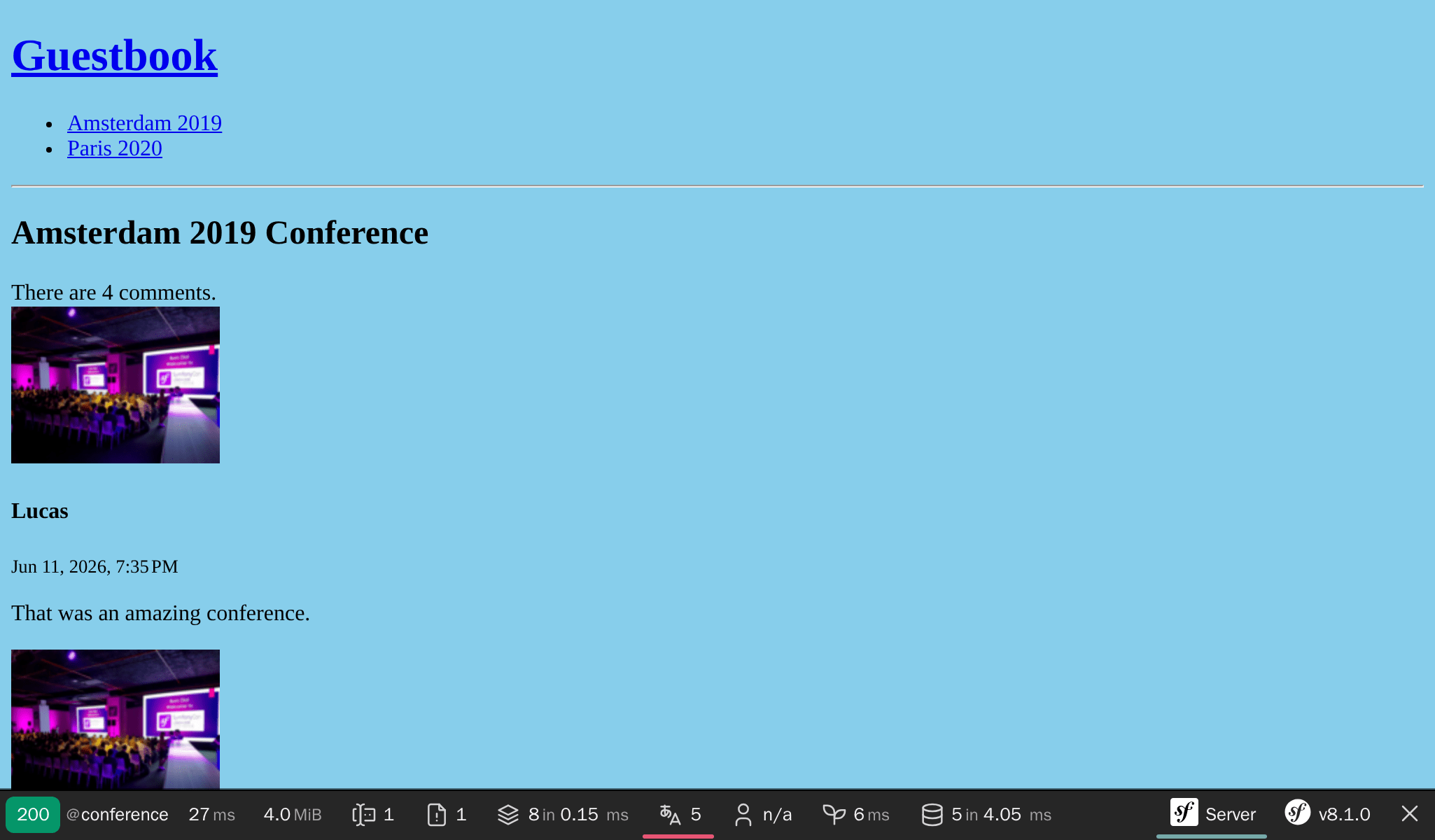
テストをもう一度実行する
テストをもう一度走らせても、テストは通ります。 ResetDatabase トレイトがテスト実行の開始時にデータベースをリセットし、各テストが必要なデータセットを自分で作るからです。共有された状態も、前回の実行の残骸もありません:
1
$ symfony php bin/phpunit tests/Controller/ConferenceControllerTest.phpMakefile を使ってワークフローを自動化する
テスト実行のコマンドの順番を覚えておく必要があるのは、面倒ですね。少なくともドキュメント化しておいて欲しいですが、ドキュメントは最後の手段ですので別の方法を考えましょう。毎日のアクティビティを自動化することでドキュメントとしても役立ちます。こうすることで、他の開発者が見つけやすくなったり、助けになります。
コマンドを自動化する方法の1つとして、Makefile を使用します:
1
2
3
4
5
6
7
8
SHELL := /bin/bash

tests:
	symfony console doctrine:database:drop --force --env=test || true
	symfony console doctrine:database:create --env=test
	symfony console doctrine:migrations:migrate -n --env=test
	symfony php bin/phpunit $(MAKECMDGOALS)
.PHONY: tests
Warning
Makefileの規則により、インデントはスペースではなくタブ1つで行う 必要があります。
Doctrine コマンドには、 -n フラグが付いています。これは、Symfony コマンドのグローバルなフラグで、インタラクティブにならないようにします。
テストを実行したいときは、 make tests を使用してください:
1
$ make tests各テストの後にデータベースをリセットする
各テストを実行した後にデータベースをリセットするのは便利ですが、テストの依存を無くす方がベターです。前のテストの結果に次のテストを依存させるといったことはしたくはありません。テストの順番を変更しても結果は同じであるべきです。今のところは問題となっていませんが、ここで見てみましょう。
testConferencePage` テストを testCommentSubmission テストの後に移動してください:
1
2
3
4
5
6
7
8
9
10
11
12
13
14
15
16
17
18
19
20
21
22
23
24
25
26
27
28
29
30
31
32
33
34
35
36
37
38
39
40
41
42
43
44
45
46
47
48
49
50
51
52
53
54
55
--- i/tests/Controller/ConferenceControllerTest.php
+++ w/tests/Controller/ConferenceControllerTest.php
@@ -22,26 +22,6 @@ class ConferenceControllerTest extends WebTestCase
         $this->assertSelectorTextContains('h2', 'Give your feedback');
     }

-    public function testConferencePage(): void
-    {
-        $client = static::createClient();
-
-        $amsterdam = ConferenceFactory::createOne(['city' => 'Amsterdam', 'year' => '2019', 'isInternational' => true]);
-        ConferenceFactory::createOne(['city' => 'Paris', 'year' => '2020', 'isInternational' => false]);
-        CommentFactory::createOne(['conference' => $amsterdam]);
-
-        $crawler = $client->request('GET', '/');
-
-        $this->assertCount(2, $crawler->filter('h4'));
-
-        $client->clickLink('View');
-
-        $this->assertPageTitleContains('Amsterdam');
-        $this->assertResponseIsSuccessful();
-        $this->assertSelectorTextContains('h2', 'Amsterdam 2019');
-        $this->assertSelectorExists('div:contains("There are 1 comments")');
-    }
-
     public function testCommentSubmission(): void
     {
         $client = static::createClient();
@@ -41,5 +22,25 @@ class ConferenceControllerTest extends WebTestCase
         $this->assertResponseRedirects();
         $client->followRedirect();
         $this->assertSelectorExists('div:contains("There are 2 comments")');
     }
+
+    public function testConferencePage(): void
+    {
+        $client = static::createClient();
+
+        $amsterdam = ConferenceFactory::createOne(['city' => 'Amsterdam', 'year' => '2019', 'isInternational' => true]);
+        ConferenceFactory::createOne(['city' => 'Paris', 'year' => '2020', 'isInternational' => false]);
+        CommentFactory::createOne(['conference' => $amsterdam]);
+
+        $crawler = $client->request('GET', '/');
+
+        $this->assertCount(2, $crawler->filter('h4'));
+
+        $client->clickLink('View');
+
+        $this->assertPageTitleContains('Amsterdam');
+        $this->assertResponseIsSuccessful();
+        $this->assertSelectorTextContains('h2', 'Amsterdam 2019');
+        $this->assertSelectorExists('div:contains("There are 1 comments")');
+    }
 }
テストは失敗するようになりました。
テスト間でデータベースをリセットするには、 DoctrineTestBundle をインストールしてください:
1
$ symfony composer req "dama/doctrine-test-bundle:^8" --devDoctrineTestBundle は、"公式に" サポートされたバンドルではないので、レシピの実行を確認する必要があります:
1
2
3
4
5
6
7
8
9
10
11
Symfony operations: 1 recipe (a5c79a9ff21bc3ae26d9bb25f1262ed7)
  -  WARNING  dama/doctrine-test-bundle (>=4.0): From github.com/symfony/recipes-contrib:master
    The recipe for this package comes from the "contrib" repository, which is open to community contributions.
    Review the recipe at https://github.com/symfony/recipes-contrib/tree/master/dama/doctrine-test-bundle/4.0

    Do you want to execute this recipe?
    [y] Yes
    [n] No
    [a] Yes for all packages, only for the current installation session
    [p] Yes permanently, never ask again for this project
    (defaults to n): p
これで準備ができました。テストに変更があると、自動的に各テストの最後にロールバックするようになりました。
テストは再びグリーンになったはずです:
1
$ make tests実際のブラウザを使用して、ファンクショナルテストをする
ファンクショナルテストは、Symfony を直接呼び出す特別なブラウザを使用しています。しかし、Symfony Panther を使えば、実際のブラウザと HTTP を使うことが可能です:
1
$ symfony composer req panther --dev次の変更を、Google Chrome のブラウザを使用してテストを書くことができます:
1
2
3
4
5
6
7
8
9
10
11
12
13
14
15
16
17
18
19
--- i/tests/Controller/ConferenceControllerTest.php
+++ w/tests/Controller/ConferenceControllerTest.php
@@ -2,13 +2,13 @@

 namespace App\Tests\Controller;

-use Symfony\Bundle\FrameworkBundle\Test\WebTestCase;
+use Symfony\Component\Panther\PantherTestCase;

-class ConferenceControllerTest extends WebTestCase
+class ConferenceControllerTest extends PantherTestCase
 {
     public function testIndex(): void
     {
-        $client = static::createClient();
+        $client = static::createPantherClient(['external_base_uri' => rtrim($_SERVER['SYMFONY_PROJECT_DEFAULT_ROUTE_URL'], '/')]);
         $client->request('GET', '/');

         $this->assertResponseIsSuccessful();
環境変数 `SYMFONY_PROJECT_DEFAULT_ROUTE_URL` には、ローカルの Webサーバーの URL が入っています。
適切なテストタイプを選ぶ
ここまで、3つの異なるタイプのテストを作りました。ユニットテスト用のクラスを作るときだけMakerBundleを使っていましたが、他のテストクラスを作るときにも利用できます:
1
2
3
$ symfony console make:test WebTestCase Controller\\ConferenceController

$ symfony console make:test PantherTestCase Controller\\ConferenceController
アプリケーションをどのようにテストしたいのかによって、MakerBundleは次のタイプのテストクラス作成に対応しています:
TestCase: 基本的なPHPUnitのテストクラスKernelTestCase: Symfonyサービスにアクセスする基本的なテストクラスWebTestCase: JavaScriptのコードを実行しないときのブラウザのようなシナリオ用テストクラス。ApiTestCase: API向けのシナリオ用テストクラスPantherTestCase: e2eシナリオ用テストクラス。本物のブラウザまたはHTTPクライアントと本物のウェブサーバーを使います。
Blackfire でブラックボックスなファンクショナルテストを実行する
Blackfire player を使ってファンクショナルテストを実行することもできます。そうすれば、ファンクショナルテストに加えて、パフォーマンステストもすることができます。
詳細を知るには、 Performance を参照してください。