EasyAdmin Currency Field
This field is used to represent a value that stores the 3-letter ISO 4217 code of some currency.
To express that no currency is involved, use the CurrencyField::CURRENCY_NONE
constant, which holds the ISO 4217 'XXX' code. That code has no name or
symbol of its own, so EasyAdmin displays the generic currency sign ¤ for it.
The setCurrency() method of the MoneyField
accepts this constant too.
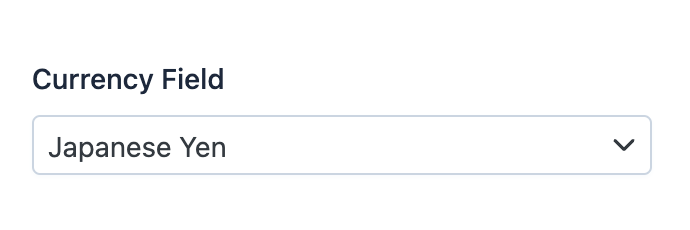
In form pages (edit and new) it looks like this:
Basic Information
- PHP Class:
EasyCorp\Bundle \EasyAdminBundle \Field \CurrencyField - Doctrine DBAL Type used to store this value:
string - Symfony Form Type used to render the field: CurrencyType
Rendered as:
1
<select> ... </select>
Options
showCode
By default, this field displays the name and the symbol of the currency, but not
its ISO 4217 code. For example, for the currency of Japan it displays "Japanese Yen"
(the name) and ¥ (the symbol) but not JPY (the code).
Use this option to display the currency code:
1
yield CurrencyField::new('...')->showCode();showName
By default, this field displays the name of the currency (Mexican Peso,
Indian Rupee, etc.). If you prefer to not display the name (and only display
the symbol and/or code of the currency) set this option to false:
1
yield CurrencyField::new('...')->showName(false);showSymbol
By default, this field displays the symbol of the currency (€, $, £,
etc.). If you prefer to not display the symbol (and only display the name and/or
code of the currency) set this option to false:
1
yield CurrencyField::new('...')->showSymbol(false);