EasyAdmin Language Field
This field is used to represent the name of a language stored in a property as a valid ICU project language code (the same which is used by Symfony and many other tech projects).
See also LocaleField and CountryField.
In form pages (edit and new) it looks like this:
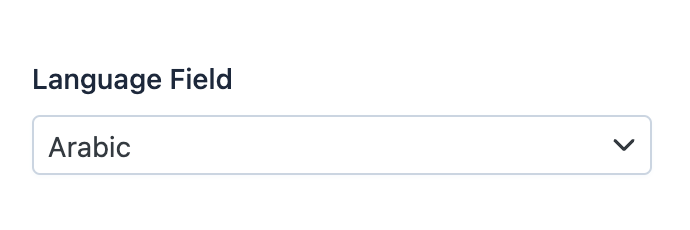
Basic Information
- PHP Class:
EasyCorp\Bundle \EasyAdminBundle \Field \LanguageField - Doctrine DBAL Type used to store this value:
string - Symfony Form Type used to render the field: LanguageType
Rendered as:
1
<select> ... </select>
Options
includeOnly
By default, the language selector displays all the languages defined by the ICU project. Use this option to only display the given language codes:
1
yield LanguageField::new('...')->includeOnly(['en', 'fr', 'pl']);remove
By default, the language selector displays all the languages defined by the ICU project. Use this option to remove the given language codes from that list:
1
yield LanguageField::new('...')->remove(['fr', 'pl']);setBadgeVariant
When you use the showCode option, the language code is displayed as a badge.
Use this option to change the visual style of that badge.
By default, it uses the badge variant configured with the setBadgeVariant()
method of the CRUD design options (light if
you don't configure it). The other values are solid, outline and dot.
This option only changes the badges of this field, not the badges of other fields:
1
yield LanguageField::new('...')->setBadgeVariant('dot');showCode
By default, in read-only pages (index and detail) this field displays the
full name of the language (e.g. Arabic, Burmese, Slovenian, etc.).
Use this option if you want to display the language code (e.g. ar, my,
sl, etc.) instead of or in addition to the language name:
1
yield LanguageField::new('...')->showCode();The code is displayed as a badge whose tooltip shows the full language name.
showName
By default, in read-only pages (index and detail) this field displays the
full name of the language (e.g. Arabic, Burmese, Slovenian, etc.).
Use this option to hide the language name. Combine it with showCode() to
display the language code instead; otherwise the field displays nothing:
1
yield LanguageField::new('...')->showName(false);useAlpha3Codes
By default, the field expects that the given language code is a 2-letter value following the ISO 639-1 alpha-2 format. Use this option if you store the language code using the 3-letter value of the ISO 639-2 alpha-3 format:
1
yield LanguageField::new('...')->useAlpha3Codes();