EasyAdmin Time Field
This field is used to represent the time part of a value that stores a PHP
DateTimeInterface value (e.g. DateTime, DateTimeImmutable, etc.)
Tip
EasyAdmin provides other fields for date and time contents: DateField displays only the date part and DateTimeField displays both the date and the time parts.
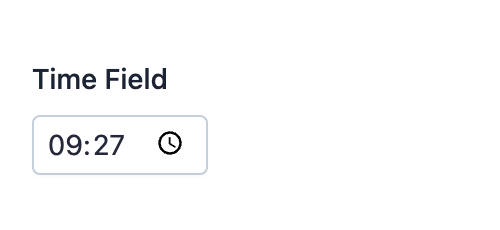
In form pages (edit and new) it looks like this:
Basic Information
- PHP Class:
EasyCorp\Bundle \EasyAdminBundle \Field \TimeField - Doctrine DBAL Type used to store this value:
timeortime_immutable - Symfony Form Type used to render the field: TimeType
Rendered as:
1
<input type="time">
Options
By default, in form pages (edit and new) the field is rendered as an
HTML5 input field. This is done because modern browsers display an advanced
time picker for these fields, making them easier to use.
renderAsChoice
If you prefer to display the time as 2 separate <select> elements to pick
the hour and minutes, use this option:
1
yield TimeField::new('...')->renderAsChoice();Note
Setting this option is equivalent to setting widget = choice and
html5 = true options in the underlying TimeType Symfony field.
renderAsNativeWidget
This option allows you to programmatically enable/disable this behavior (e.g.
based on the result of some expression). Setting it to false is equivalent
to calling renderAsChoice():
1
yield TimeField::new('...')->renderAsNativeWidget(false);Note
Setting this option is equivalent to setting widget = single_text and
html5 = true options in the underlying TimeType Symfony field.
renderAsText
If you prefer to display the time as a single <input type="text"> element,
use this option:
1
yield TimeField::new('...')->renderAsText();Note
Setting this option is equivalent to setting widget = single_text and
html5 = false options in the underlying TimeType Symfony field.
setFormat
By default, in read-only pages (index and detail) times are displayed in
the format defined by the setTimeFormat() CRUD option.
Use this option to override that default formatting:
1
2
3
4
5
6
7
// these are the predefined formats: 'short', 'medium', 'long', 'full'
yield TimeField::new('...')->setFormat('long');

// predefined formats are available as constants too
use EasyCorp\Bundle\EasyAdminBundle\Field\DateTimeField;

yield TimeField::new('...')->setFormat(DateTimeField::FORMAT_LONG);
The format constants are defined in DateTimeField and shared by all date and
time fields.
In addition to predefined formats, you can configure your own format by passing a valid ICU Datetime Pattern to this function:
1
2
yield TimeField::new('...')->setFormat('HH:mm:ss zzz');
yield TimeField::new('...')->setFormat('K:mm a, z');
setTimezone
By default, in read-only pages (index and detail) times are displayed
using the timezone defined by the setTimezone() CRUD option.
Use this option to override that default timezone (the argument must be any of
the valid PHP timezone IDs):
1
yield TimeField::new('...')->setTimezone('America/Mexico_City');