Contributing Documentation
The Symfony documentation is as open as the code. Fixing a typo, clarifying a confusing paragraph or documenting a new feature are all valuable contributions.
Tip
Quick reference
Small fix? Click Edit this page on any documentation page and propose the
change directly on GitHub. Larger change? Fork
symfony/symfony-docs, branch off 6.4 (the oldest maintained branch),
edit the .rst files, and open a pull request against 6.4.
Before you start, you need a free GitHub account and a basic familiarity with the reStructuredText format used by the docs (see the format guide for a quick overview).
Fixing Typos and Small Changes Online
For a small change like a typo or rewording, the fastest way is to edit the file directly on GitHub, without installing anything:
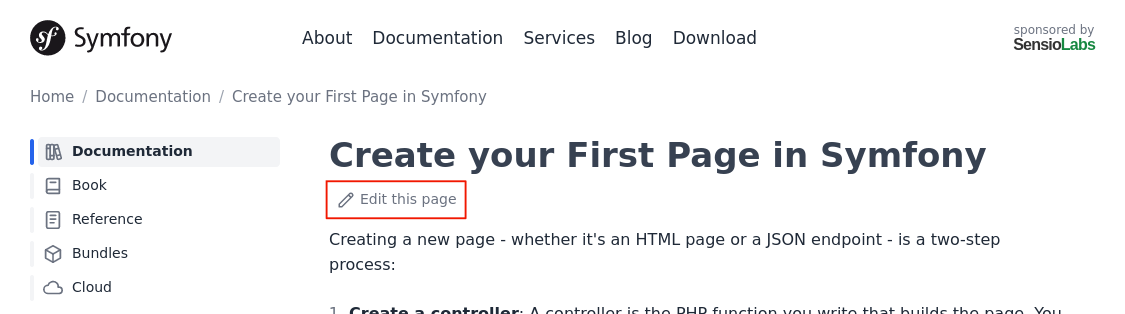
Click the Edit this page button at the top of the documentation page:
Edit the contents (the first time, GitHub asks you to fork the repository). Then describe your change and click Propose changes:
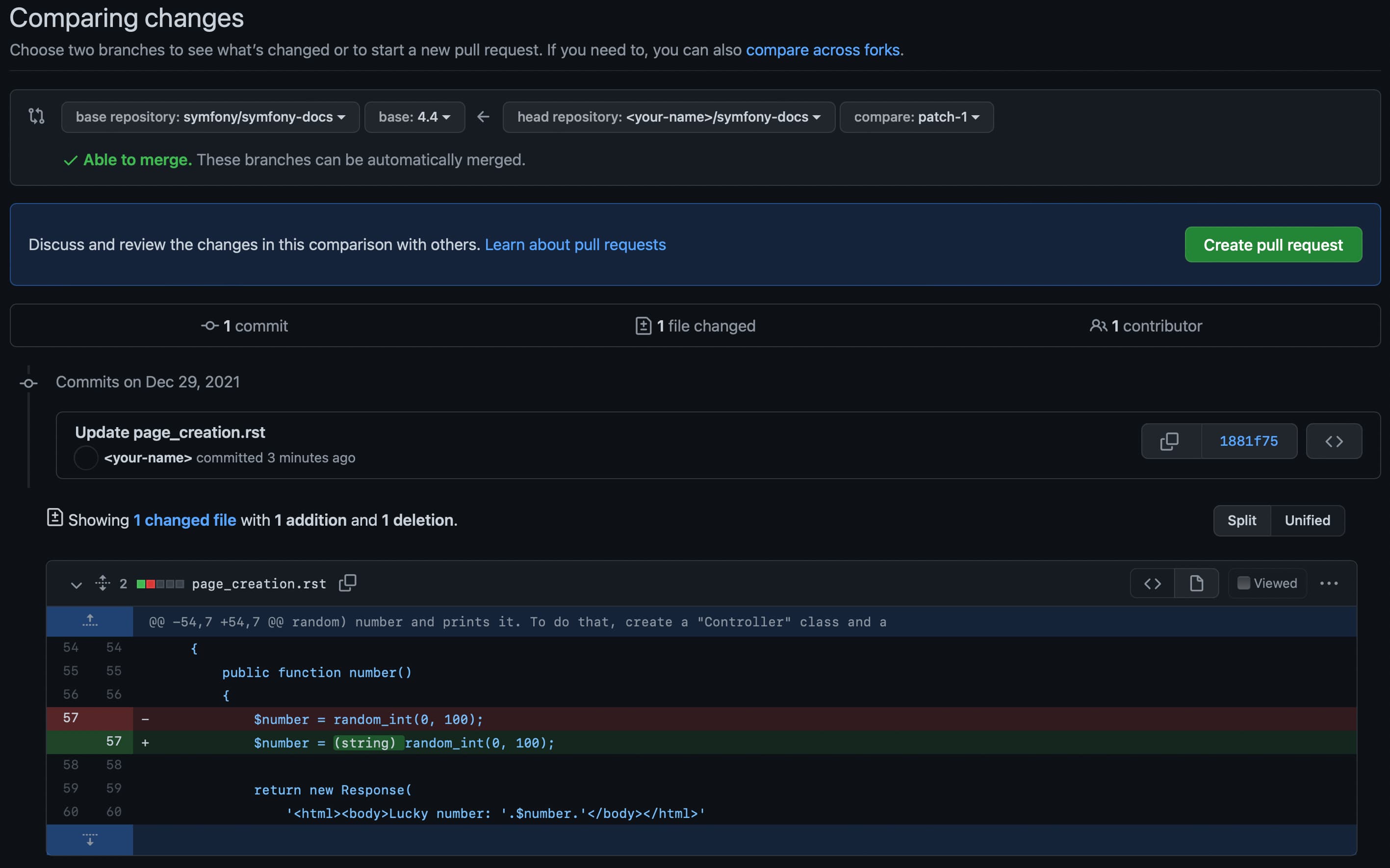
- Click Create pull request. That's it, congratulations! The community will review your pull request and may suggest tweaks.
For anything larger, or if you prefer to work on your own computer, use the local workflow below.
Contributing on your Computer
Note
Which branch should I use? Base your pull request on the right branch so it can be merged without extra work:
- Bug fix: use the oldest maintained branch that contains the bug. If you're unsure, use the oldest branch listed as maintained on the Symfony releases page. Fixes are merged up into the newer branches automatically.
- New feature: use the current development branch shown on the Symfony releases page.
You only pick the branch once, when creating your topic branch. Everything else in this guide works the same regardless of the branch you chose.
Fork the symfony/symfony-docs repository (you only do this once) and clone your fork:
1
2
$ git clone git@github.com:YOUR_USERNAME/symfony-docs.git
$ cd symfony-docs/
Add the original repository as a remote called
upstreamand create a branch for your changes based on the branch you chose (usefix_XXXfor reported issues, whereXXXis the issue number):1 2 3
$ git remote add upstream https://github.com/symfony/symfony-docs.git $ git fetch upstream $ git checkout -b improve_docs upstream/6.4Make your changes following the Documentation Standards, then commit and push them to your fork:
1 2
$ git commit -am "Describe your change" $ git push origin improve_docs- Go to your fork on GitHub and open a pull request against the
6.4branch ofsymfony/symfony-docs. Add a short description of your changes and submit it.
If reviewers ask for changes, don't open a new pull request. Commit on the same branch and push again; the pull request updates automatically:
1 2 3 4
$ git checkout improve_docs
# ... make the requested changes ...
$ git commit -am "Apply review feedback"
$ git push
Note
When you open the pull request, automated checks look for common errors (syntax issues, broken links, typos), so you don't need to install anything to validate your changes. If you prefer to build the documentation locally to debug issues or read it offline, follow the instructions in the README of the symfony-docs repository.
Once merged, your changes appear on the Symfony website within a few hours, and you join the Symfony Documentation Contributors list.
Frequently Asked Questions
Why Should I Use the 6.4 Branch Instead of the Latest One?
Like the code, the documentation is split into branches matching the maintained
Symfony versions. Basing fixes on the oldest maintained branch (6.4) lets the
documentation team apply them to all newer branches automatically. Only base your
change on a newer branch when you're documenting a feature introduced there.
Can I Submit Unfinished Work?
Yes. Open it as a draft pull request so reviewers know it's still in progress. If you're documenting a feature that hasn't been merged into the core code yet, mention it: the PR won't be merged until the code is.
Would You Accept a Huge Pull Request?
Make sure the changes are related; otherwise, split them into separate pull requests. Before submitting a large change, it's a good idea to open an issue first to check that the documentation team agrees with your proposal, so you don't waste your time.
Translations
The official Symfony documentation is published only in English. You can read about the reasons in this blog post.
We have taken steps to improve the experience when using Google Translate to prevent code blocks from being translated. To translate any page, copy its URL and paste it into the form on the Google Translate site.
Note
Contributing translations of Symfony's built-in messages (validation errors, security messages, etc.) is a different task, explained in Contributing Translations.
License
The Symfony documentation is licensed under a Creative Commons Attribution-Share Alike 3.0 Unported License (CC BY-SA 3.0).
You are free to share (copy, distribute and transmit) and to remix (adapt) the work, under the following conditions:
- Attribution: You must attribute the work in the manner specified by the author or licensor (but not in any way that suggests they endorse you or your use of the work);
- Share Alike: If you alter, transform, or build upon this work, you may distribute the resulting work only under the same or a similar license.
This is a human-readable summary of the Legal Code (the full license). Check out the license of the Symfony code and other Symfony licenses and trademarks.